Latest Version
MeetmeXM Technology Co., Ltd
IT Tools
Windows
Free
9p673c6j7q3l
Report a Problem
More About Secure Remote Desktop Tool
The Challenge of Secure Remote Work
Managing multiple workstations from afar often leads to technical friction, security vulnerabilities, and sluggish connections. If you have ever struggled to access your office PC or help a colleague remotely, you know how crucial a reliable connection is. MeetmeXM Technology Co., Ltd addresses these pain points with the Secure Remote Desktop Tool remote connection software, designed to streamline off-site operations for Windows users.
Key Features of the Secure Remote Desktop Tool Remote Connection Utility
This software is built specifically to balance high-level protection with day-to-day usability. Here is a closer look at what it offers:
- Superior Security Protocols: Built with modern protective features, the tool keeps your remote work sessions safe from unauthorized access and external cyber threats.
- Optimized Connection Speeds: The application establishes a fast, stable connection, minimizing latency so you can operate remote systems as if you were sitting right in front of them.
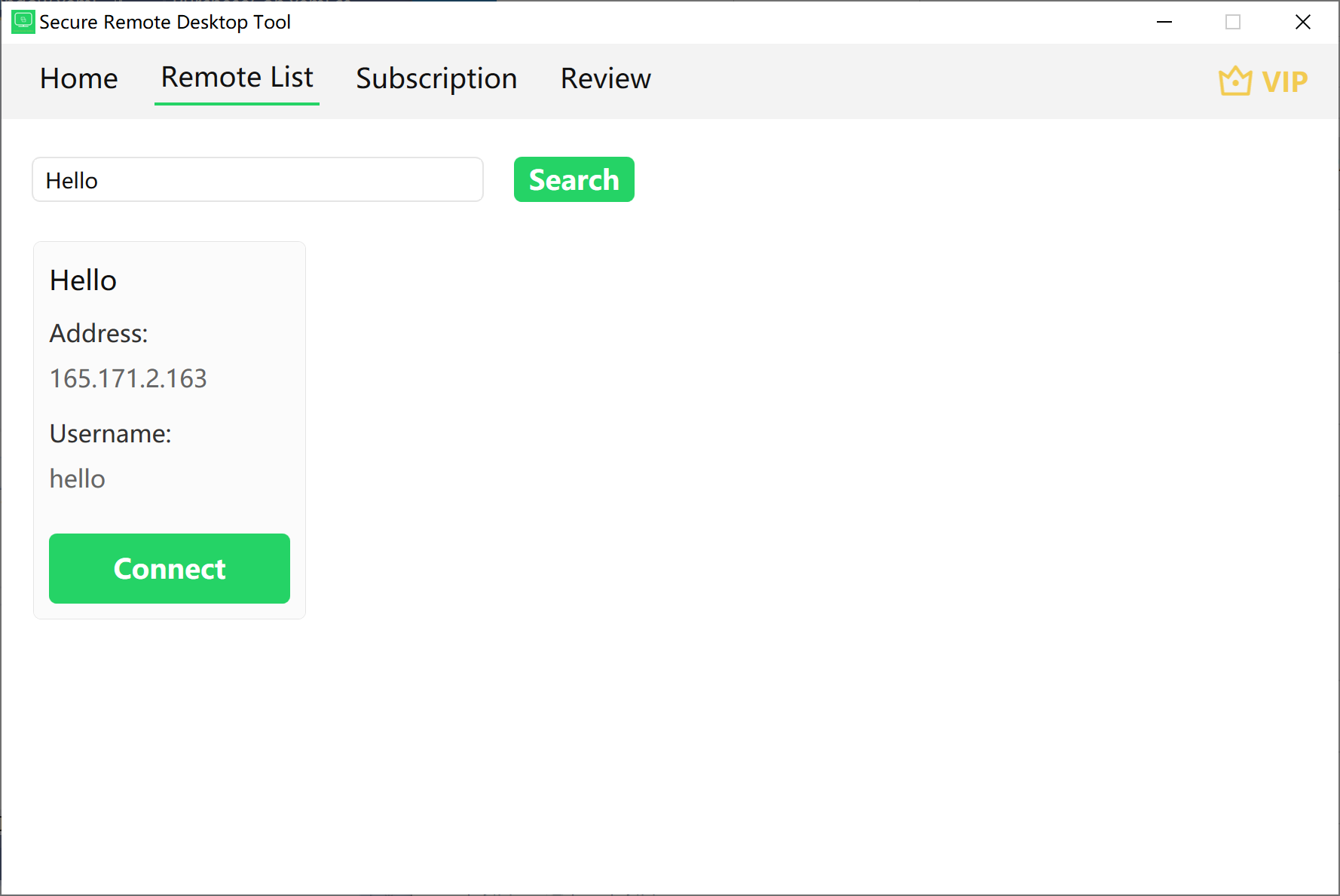
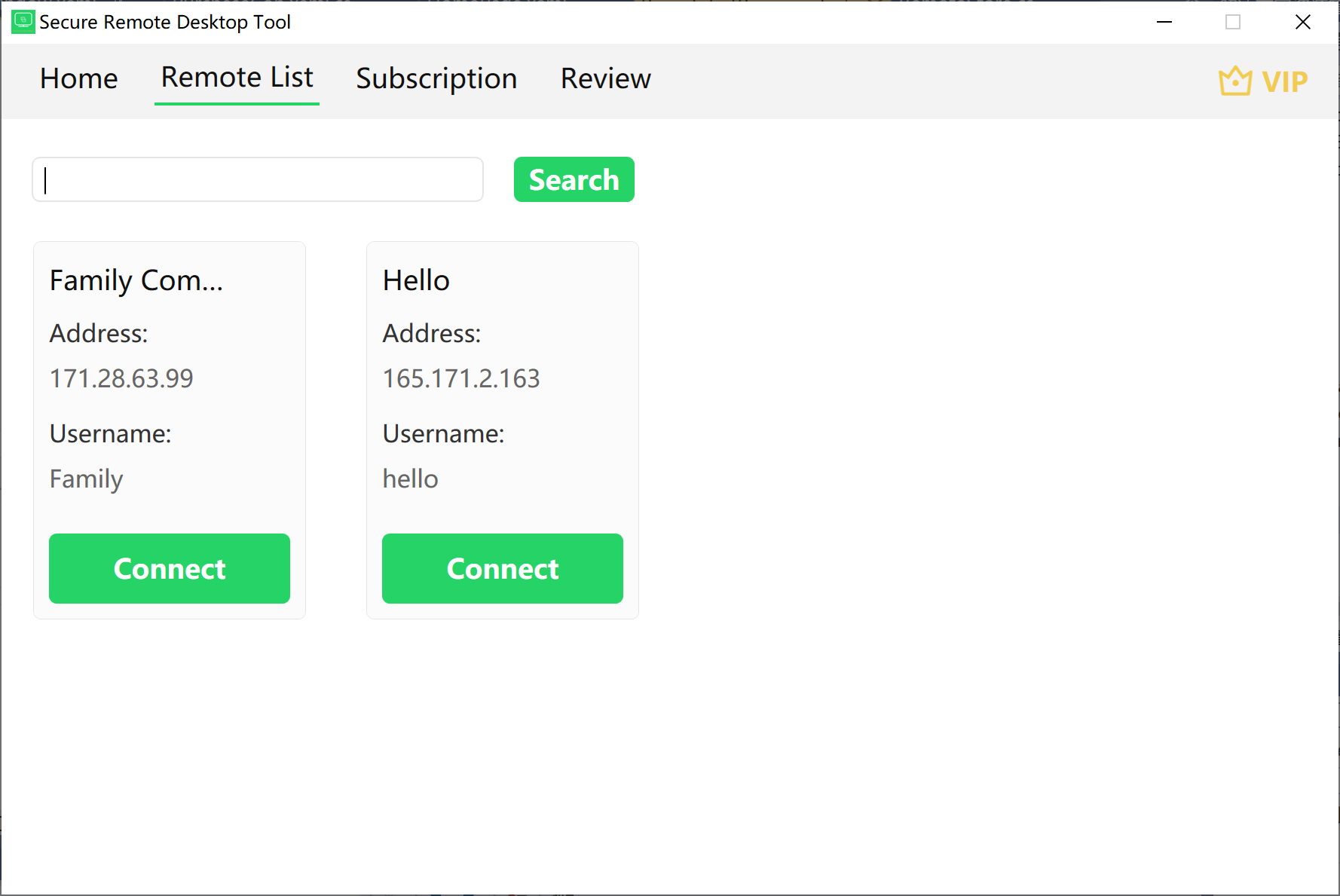
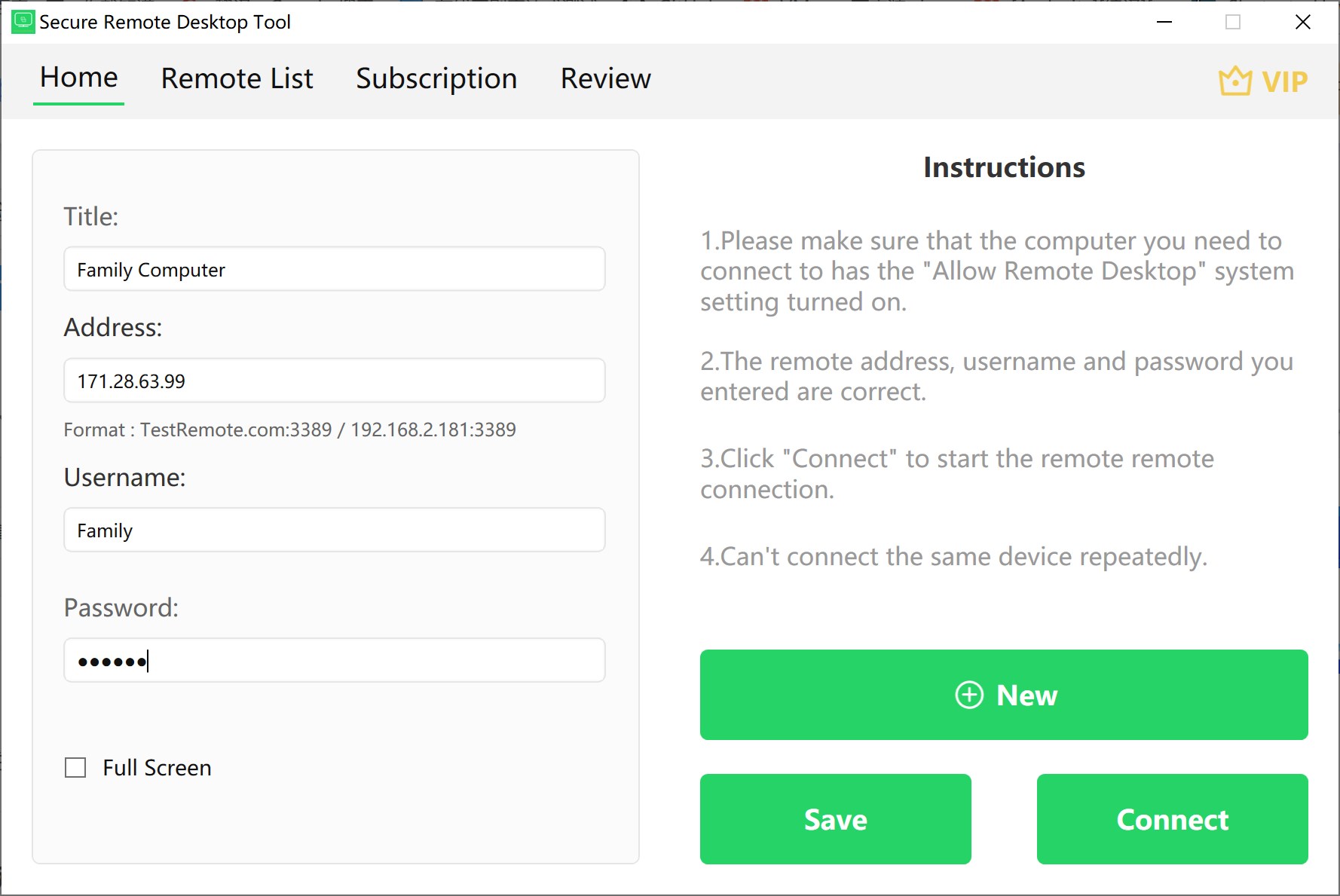
- Multi-Device Address Book: Instead of memorizing IP addresses, you can save and organize multiple remote device records for instant access.
- Streamlined Search Functionality: An integrated search bar lets you find your saved devices instantly by typing in their designated titles.
- Integrated File Transfer: Move documents, images, and system files seamlessly between your local machine and remote devices without relying on third-party cloud storage.
Who is This Windows Utility For?
The Secure Remote Desktop Tool remote connection software is ideal for remote employees, IT administrators, and technical support teams who require a straightforward, secure method to manage Windows machines. Its clean, user-friendly interface ensures that even team members with limited technical expertise can initiate a session and transfer files without a steep learning curve.
Final Verdict
If you need a dependable, no-nonsense solution to manage remote workstations and safeguard your data transfers, this software delivers on its promises. To explore its features firsthand, head over to the official Microsoft Store to download the utility for your Windows device.
Rate the App
User Reviews
Popular Apps







Editor's Choice